Once logged into the MyEG app, you will see options on the bottom of the page navigating you around. Below is an explanation of what each section does and how you can use it.
Dashboard:
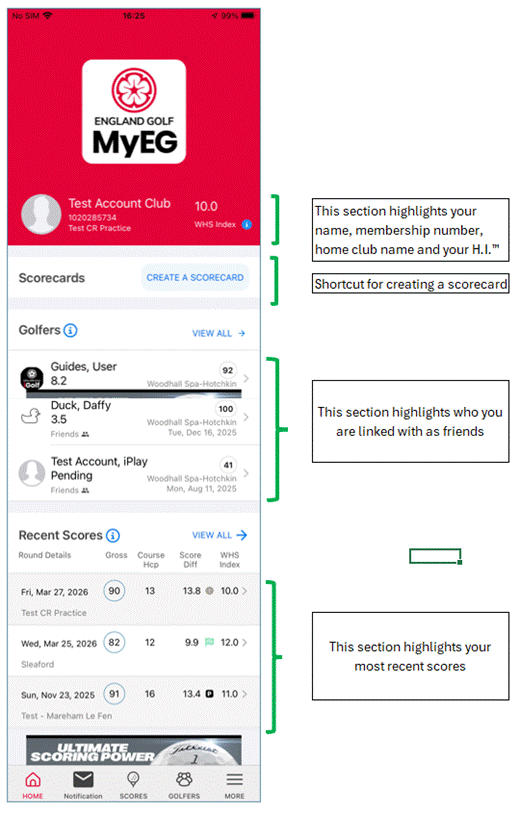
The dashboard is the page the app will always default to when opened. It shows your name, WHS Handicap Index®, membership number and home club name.
In addition to that you will see your counting, non-counting, and handicap index in graph format and below that your score history.
The score history shows any score penalties you have with a “P” in a black square. If a round is one of your “counting scores” the number is flagged in green. You can select any score to then see further detail of that round.
If you have 20+ scorecards, you will see a thin green line as you scroll down. Any rounds after that line will not be included in the 8 best counting scores.
Note: If you have any ineligible rounds, within the last 20 rounds, they will not be included as part of your handicap. As an example, if you have 1 ineligible round, as part of the last 20 rounds, the green line will be between rounds 21 and 22. However, WHS™ is only looking at the most recent 20 eligible scores, for the calculation of a Handicap Index®.
Was this article helpful?
That’s Great!
Thank you for your feedback
Sorry! We couldn't be helpful
Thank you for your feedback
Feedback sent
We appreciate your effort and will try to fix the article