You can change your password to one of your own choosing via the ‘Change Password’ area of the MyEG app – this is found in the More and My Profile section:
IPHONE | ANDROID |
|
|
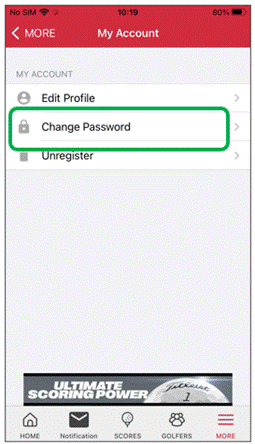
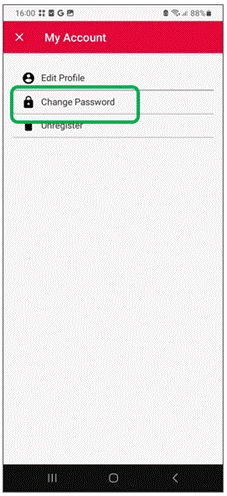
If you have forgotten your password, you can request a password reset email via the ‘Forgot password’ link on the MyEG app login page:
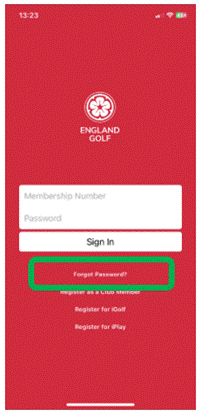
Please be aware your password reset email will be from the email address ‘no-reply@englandgolf.org’.
If you have not received your password reset email in your inbox, be sure to check you spam/junk folder. For a business email address, you may need to check additional security settings within the email account.
Was this article helpful?
That’s Great!
Thank you for your feedback
Sorry! We couldn't be helpful
Thank you for your feedback
Feedback sent
We appreciate your effort and will try to fix the article