Golfers Function
Within the “Golfers” function you can see who is linked up as a friend. For safeguarding purposes, juniors under the age of 14 cannot be selected as a friend.
To add a new friend, you will need to follow this process:
- Select “Add Golfer” – see example below:
IPHONE | ANDROID |
|
|
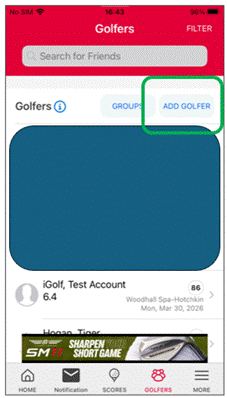
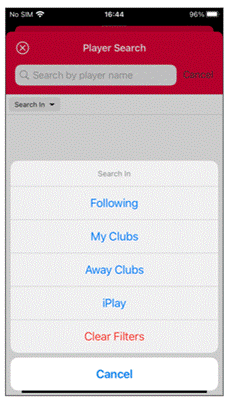
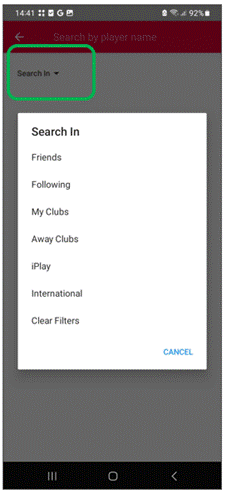
- Select the filter, see below, and choose the relevant section you need to search
IPHONE | ANDROID |
|
|
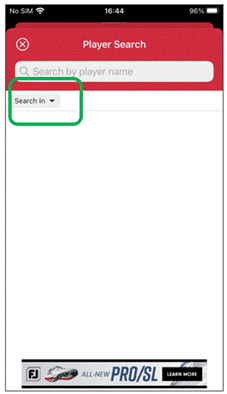
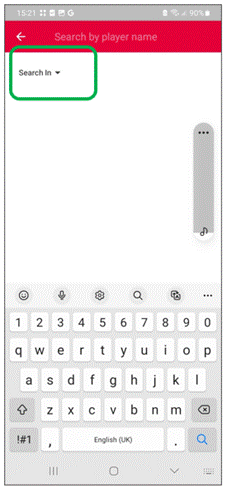
The sections available are:
- My Clubs: This area relates to any clubs that you are a member of (including iGolf)
- Away Clubs: This section relates to any clubs you are not a member of
- iPlay: This can be used should you wish to link with an iPlay user
IPHONE | ANDROID |
|
|
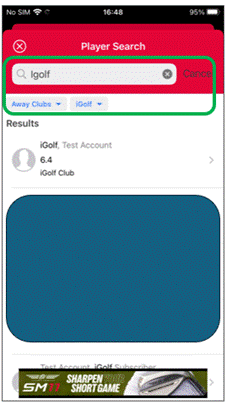
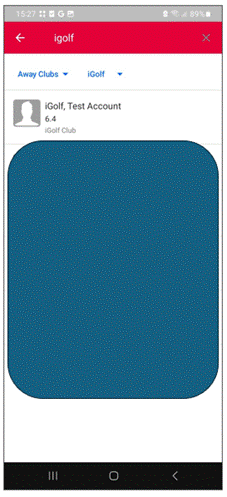
- Search by last name first and select “search” or magnifying glass for Android.
IPHONE | ANDROID |
|
|
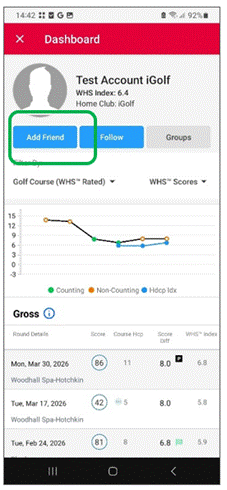
When you have selected the correct player you just select the “Add Friend” blue banner – see below:
IPHONE | ANDROID |
|
|
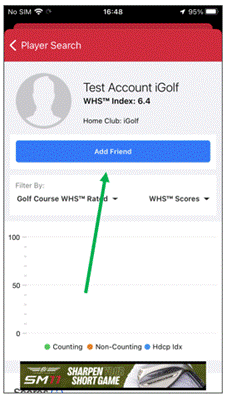
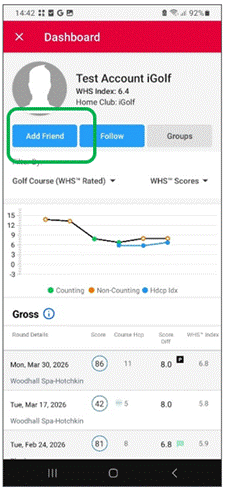
- When you have requested a friend it will show pending until the payer accepts the friend request
IPHONE | ANDROID |
|
|
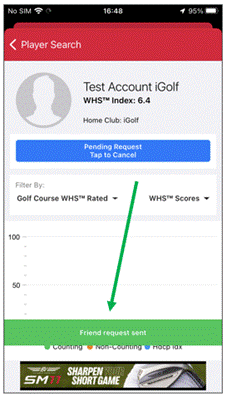
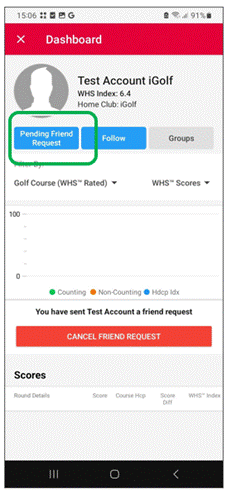
- Once approved you will see them in your friends list.
Was this article helpful?
That’s Great!
Thank you for your feedback
Sorry! We couldn't be helpful
Thank you for your feedback
Feedback sent
We appreciate your effort and will try to fix the article